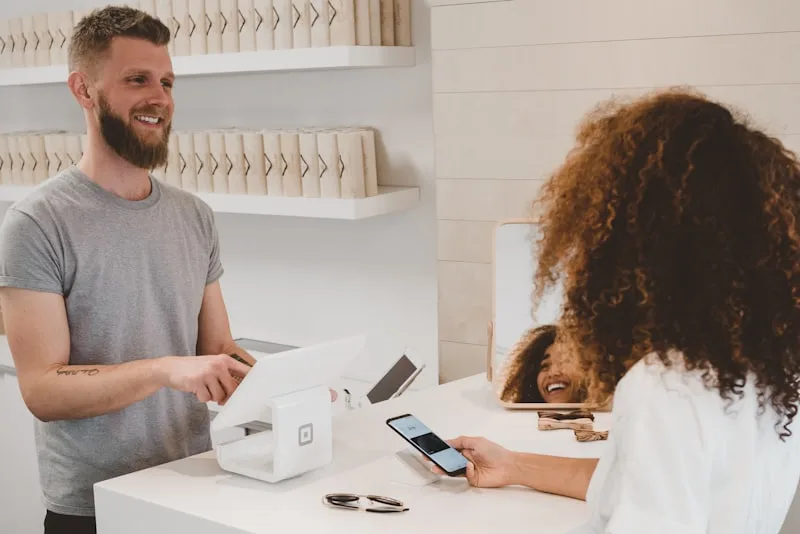
You put up a QR code at the till, but half your customers never scan it. Too many steps. An NFC Google review card solves the problem: the customer taps their phone, the review page opens instantly, they rate and submit. The result: a 25–40 % conversion rate versus 5–10 % by email (BrightLocal 2024). This guide explains how NFC works, which format to choose and how to integrate it into a complete Google review collection strategy for local visibility.
What is an NFC Google review card?
NFC stands for Near Field Communication — the same technology behind contactless payments. An NFC chip embedded in a physical support (card, sticker, table tent) holds a URL programmed to your Google Business Profile.
When a customer brings their smartphone within 4 cm of the tag, the URL opens automatically in their browser. No app to install, no QR code to scan, no link to type. The customer lands directly on the "leave a review" window of your Google listing.
Why NFC converts better than a QR code
| Criterion | NFC card | QR code | Email link |
|---|---|---|---|
| Customer action | Tap phone on card | Open camera, aim, click | Open email, click |
| Time to access | < 2 seconds | 5–10 seconds | Variable (hours/days) |
| Conversion rate | 25–40 % | 10–20 % | 5–10 % |
| Requires an app | No | Sometimes (older models) | No |
| Works in low light | Yes | Difficult | N/A |
| Durability | Unlimited (no visual wear) | Degrades (sun, moisture) | N/A |
NFC eliminates the main friction point: the number of steps. Fewer steps mean more customers who follow through.
Smartphone NFC compatibility
Good news: virtually every smartphone sold since 2020 includes NFC.
- iPhone: every model from iPhone 7 (2016) onwards reads NFC tags natively. From iPhone XS onward, reading happens in the background — the customer doesn't need to open anything.
- Android: most mid-range and flagship models since 2018 support NFC. Samsung, Xiaomi, Google Pixel, OnePlus, Huawei — all compatible. NFC just needs to be enabled in settings (it is by default on most devices).
- Estimated compatibility: in 2026, over 90 % of smartphones in circulation in Europe and North America support NFC.
For the rare customers without NFC, include a Google review QR code on the same support — that's the winning combo.
5 NFC formats for Google reviews
1. NFC card (credit-card size)
The most common format. Made of PVC or wood, it sits on the counter or slips into a cardholder. Price: €3–8 each, customisable with your logo and a message like "Happy with your visit? Tap your phone here".
2. NFC sticker
A 3–5 cm adhesive disc you can stick on the counter, menu, till, mirror or wall. Discreet, durable, unbeatable price: €1–3 each. Ideal for restaurants (on the table or menu) and hair salons (on the styling mirror).
3. NFC table tent
A rigid cardboard or acrylic stand that sits on a table or counter. It combines NFC + QR code + visual instructions. Price: €5–15. The most visible format, perfect for garages (reception counter) and restaurants (on every table).
4. NFC wall plate
A rigid support (acrylic, brushed metal, wood) mounted on the wall at hand height. Premium format, ideal for medical practices, beauty salons and hotels. Price: €10–25.
5. NFC keychain or badge
A portable format: the business owner shows it directly to the customer after the service. Useful for mobile trades (tradespeople, photographers, coaches). Price: €2–5.
Which format to choose?
| Business | Recommended format | Placement |
|---|---|---|
| Restaurant | Table tent or sticker on the table | On each table, near the bill |
| Hair salon | Sticker on the mirror or card at the counter | Styling station or till |
| Garage | Table tent at the reception counter | Reception desk, facing the customer during payment |
| Mobile tradesperson | NFC keychain | Shown to customer at the end of the job |
| Medical / physio practice | Wall plate | Waiting room or exit |
How to programme an NFC card for Google reviews
Programming an NFC tag takes less than 5 minutes. Here are the steps:
Step 1: Get your Google review link
Open your Google Business Profile → click "Ask for reviews" → copy the short link. It looks like https://g.page/r/XXXXXXXX/review. If you're unsure how to find it, see our guide to getting your Google review link.
Step 2: Download an NFC writing app
On Android: NFC Tools (free) is the go-to. On iPhone (XS and later): NFC Tools or NXP TagWriter. Both let you write a URL to a blank NFC tag.
Step 3: Write the URL to the NFC tag
- Open the app → select "Write" → "Add a record" → "URL".
- Paste your Google review link.
- Hold the blank NFC tag against your phone.
- Writing takes under 2 seconds. Done.
Step 4: Test
Tap a different smartphone on the tag. The Google review page should open directly. Test on both iPhone and Android to confirm compatibility.
Step 5 (optional): Lock the tag
Most apps let you "lock" the tag after writing. This prevents anyone from overwriting the URL. Recommended for publicly accessible supports (restaurant table, counter).
5 common mistakes with NFC review cards
1. Placing the card without explaining anything
NFC only works if the customer knows to tap their phone. Add a clear visual: "Happy with your visit? Tap your phone here to leave us a review." Without instructions, the conversion rate drops below 5 %.
2. Putting the tag in a hard-to-see spot
The NFC tag should be within reach at the moment the customer is most satisfied: leaving the restaurant (not entering), after the haircut (not while waiting), collecting the car (not dropping off the keys). Placement makes the difference between 10 % and 40 % conversion.
3. Not combining with a verbal ask
An NFC tag alone converts 15–25 %. Add a spoken prompt from staff — "Your feedback really helps us, just tap your phone here" — and the rate jumps to 30–40 %. The human ask remains the most effective trigger.
4. Using cheap, low-capacity NFC tags
An NTAG213 tag (standard) stores 144 bytes — plenty for a Google URL. Avoid "ultralight" tags at 48 bytes, too short for some links. Prefer NTAG215 (504 bytes) or NTAG216 (888 bytes) for extra headroom.
5. Forgetting to follow up after the visit
NFC captures customers who are physically present. But those who didn't leave a review on the spot can still be reached with a reminder message within 24 hours. That's where automated WhatsApp review requests take over.
NFC + WhatsApp: the complete collection strategy
The NFC card captures customers on-site. But not everyone leaves a review immediately — some are in a rush, others prefer to do it at home. To avoid losing anyone, combine two channels:
- On-site: the NFC card on the counter or table. The customer taps and leaves a review in 30 seconds.
- After the visit: an automated WhatsApp message sent 1–4 hours after the service, containing the direct review link.
Businesses using this combination collect on average 3× more reviews per month than those relying on a single channel (BrightLocal 2024).
Why WhatsApp over email or SMS?
| Channel | Open rate | Click-through to review | Cost |
|---|---|---|---|
| 98 % | 25–35 % | Included (service conversation) | |
| SMS | 95 % | 15–20 % | €0.03–0.07/SMS |
| 20–25 % | 3–8 % | Near zero |
WhatsApp wins on click-through because the message is read within minutes of sending, while the experience is still fresh. An email sent at 2 pm won't be opened until 8 pm — if the customer opens it at all.
3 industry use cases
Restaurant: NFC table tent on every table
The waiter brings the bill with an NFC table tent. The printed message: "Enjoyed your meal? Tap your phone to leave a review — it takes 30 seconds." With 80 covers per service and a 30 % conversion rate, that's roughly 24 reviews per day. On top of that, Reepli sends an automated WhatsApp message to customers who booked online, 2 hours after the meal.
Hair salon: NFC sticker on the mirror
The customer spends 30–45 minutes seated in front of the mirror. An NFC sticker placed at hand height, with the message "Tap your phone — your review helps us grow", catches attention when the customer sees their new cut. Observed conversion rate: 35–40 %, the highest of any sector (the customer is happy and relaxed).
Garage: NFC table tent at the reception counter
The customer collects their car and pays the invoice. The NFC table tent faces them during payment. Message: "Your car is ready — a quick review?" The conversion rate is lower than in a salon (15–20 %) because the customer is often in a hurry. The WhatsApp follow-up message, sent 3 hours later, recovers an extra 10–15 %.
Automate review collection with Reepli
The NFC card handles the physical touchpoint. Reepli.ai handles everything else:
- Automatic WhatsApp request: the AI agent dedicated to Google reviews sends a personalised message after every service, with the customer's first name and the review link.
- Smart follow-up: if the customer hasn't left a review after 48 h, the agent sends a discreet reminder — once only, never spam.
- Draft responses: when a review comes in, the AI suggests a draft reply matched to the content and tone of the review. You approve with one click before it goes live.
- Dashboard: reviews collected, average rating, monthly trend — all visible in real time.
The Reepli.ai Essential plan starts at €79/month per bot, Google Reviews agent, WhatsApp Conversation agent and CRM included — only the Instagram agent is optional (+€40/month). No setup fee, no commitment.
Budget: how much does an NFC + WhatsApp strategy cost?
| Item | Cost | Frequency |
|---|---|---|
| NFC tags (pack of 10) | €15–30 | One-off |
| Custom support (table tent or card) | €5–25 each | One-off |
| NFC Tools app | Free | — |
| Reepli Essential (Google Reviews agent included) | from €79/month per bot | Monthly, no commitment |
Total first-year investment: under €1,500, NFC hardware included. Compare that to a reputation management agency (€300–800/month) or a dedicated intern.
4 metrics to track
- Reviews collected per week: the primary indicator. Realistic target: +50 % within 30 days of installing NFC + automated WhatsApp.
- Average Google rating: reviews solicited via NFC tend to be more positive than spontaneous ones (the happy customer is prompted at the right moment).
- Review response rate: responding to every review (positive and negative) within 24 h improves your local Google ranking.
- NFC vs WhatsApp conversion rate: measure the percentage of reviews from each channel to fine-tune your strategy (more NFC stands if the rate is high, more WhatsApp reminders if NFC stalls).
Frequently asked questions
Are all smartphones compatible with NFC?
Over 90 % of smartphones sold since 2020 support NFC (iPhone 7 and later, most mid-range and flagship Android devices). For the few that don't, pair your NFC tag with a QR code on the same support.
Can you reprogram an NFC Google review card?
Yes, as long as the tag hasn't been locked. If you change address or Google listing, just rewrite the URL using NFC Tools. If the tag is locked, you'll need a new one (cost: €1–3).
How long does an NFC card last?
An NFC tag has no battery or moving parts. Its theoretical lifespan exceeds 10 years. Unlike a printed QR code that degrades in sunlight or humidity, an NFC tag stays functional even with surface damage.
Does Google penalise reviews collected via NFC?
No. Google prohibits buying reviews or offering incentives, but soliciting a review via an NFC tag is fully compliant with its policies. The customer accesses the official Google page and writes their review freely.
NFC or QR code: which one should I choose?
They're complementary. NFC converts better (less friction), QR covers the rare phones without NFC. The best support combines both on a single card or table tent.