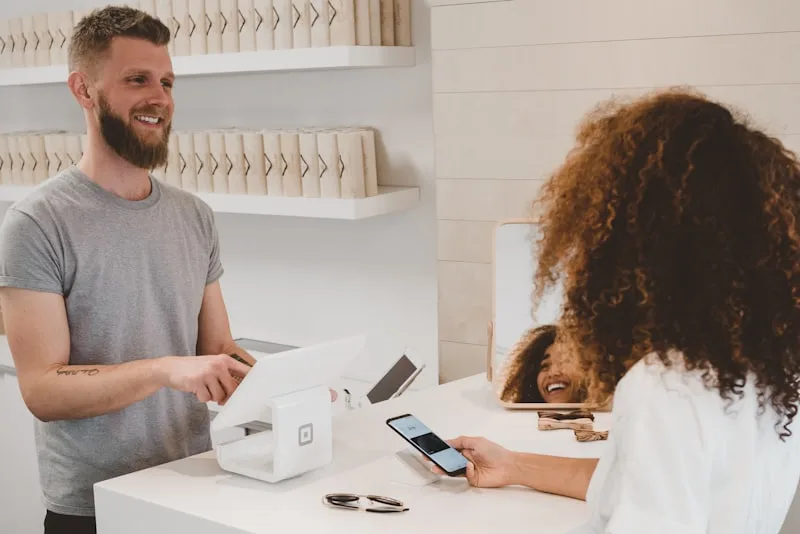
A customer messages you on WhatsApp asking about prices, available models, or whether a particular item is in stock. You can either type out a reply manually — risking a wrong price, the wrong photo, or a delayed response — or you can display a WhatsApp Business catalog directly inside the conversation. If you use WhatsApp Business as a professional channel, the catalog is the built-in storefront that answers these questions before your team even picks up the phone. This guide covers creation, configuration, the limits of the free app versus the API, and three real-world use cases by industry.
What Is the WhatsApp Business Catalog
The catalog is a native WhatsApp Business feature that turns your business profile into a mini-shop. Each product listing includes:
- A name — 60 characters max, ideally descriptive (e.g. "Natural Balayage — Long Hair").
- An image — up to 10 photos per product (only the first displays in conversation).
- A price — optional but recommended. Listings with prices get 45% more clicks (Meta, 2024).
- A description — up to 5,000 characters to detail the product, conditions, or options.
- A URL link — to an external ordering or booking page (optional).
- A product code — internal reference for your inventory system.
The catalog appears via a "View catalog" button on your WhatsApp Business profile, and also directly in the chat when you share a product. The customer never leaves WhatsApp to browse your offerings.
Why Activating the Catalog Matters: 5 Measurable Gains
Many businesses ignore the catalog or consider it a gimmick. Yet the data shows a direct impact on sales conversations:
- –40% repetitive questions — the customer sees prices, photos and descriptions before asking anything. Fewer "how much is it?" and "do you have a photo?".
- 3× click-through rate vs text links — a product card shared in the chat generates three times more engagement than a plain URL (Meta Business, 2024).
- +28% average order value — by displaying complementary products in the catalog, customers discover options they wouldn't have asked about.
- Professional perception — a WhatsApp profile with a catalog is seen as an "established business" rather than a personal number.
- Faster qualification — instead of describing each offering manually, the business sends the product card in one tap and moves straight to ordering or booking.
How to Create Your WhatsApp Business Catalog: Step by Step
Step 1 — Check prerequisites
The catalog is available on the WhatsApp Business app (free, iOS and Android) and via the WhatsApp Business API. Requirements:
- An active WhatsApp Business number (not a personal account).
- A completed business profile (name, description, address, hours).
- Products or services that comply with WhatsApp's commerce policy — no alcohol, tobacco, weapons, prescription medication, among others.
Step 2 — Add products
On the free app:
- Open WhatsApp Business → Business tools → Catalog.
- Tap "Add new item".
- Select "Product" or "Service" (the type affects the display).
- Add a photo, name, price (optional), description and link.
- Submit — WhatsApp reviews the listing within 24 to 48 hours before publishing.
Tip: start with your 10 most-requested products or services. A catalog with 10 well-documented listings converts better than 200 incomplete ones.
Step 3 — Organise into collections
Collections group your products by category (e.g. "Women's Cuts", "Men's Cuts", "Treatments"). The customer navigates faster and finds what they need without scrolling through 50 listings. Each collection can hold an unlimited number of products.
Step 4 — Share in conversation
To send a product to a customer:
- Open the conversation.
- Tap the attachment icon (📎) then "Catalog".
- Select the product(s) to send.
- Add a personalised message if needed (e.g. "Here's today's menu").
The customer receives a visual, tappable product card — far more engaging than a link or a PDF.
Free App vs API: What Each Version Offers
The catalog exists in both versions of WhatsApp Business, but with very different capabilities:
| Criteria | Free app | WhatsApp Business API |
|---|---|---|
| Number of products | 500 max | Unlimited (via Meta Commerce Manager) |
| Stock updates | Manual (on the phone) | Automatic — synced with your system |
| Sending products in chat | Manual (one product at a time) | Automatable (interactive product messages) |
| Multi-user access | 1 phone + WhatsApp Web (5 devices max) | Unlimited team via BSP platform |
| Built-in cart | Yes (customer selects products) | Yes + integrated payment (country-dependent) |
| Analytics | Overall views only | Per-product views, clicks, conversions |
| Cost | Free | Depends on BSP (from €79/month with Reepli) |
Bottom line: the free app is enough for a business managing fewer than 50 products with a handful of daily conversations. Beyond that — or as soon as you want to automate sending the right product card based on the customer's question — the API becomes necessary. For a detailed breakdown of API costs, see our WhatsApp Business API pricing guide.
3 Real-World Use Cases by Industry
Restaurant: the menu in one tap
A restaurant using WhatsApp receives roughly 30% of enquiries about opening hours, the menu and prices. The catalog handles all three at once:
- Collections: "Starters", "Mains", "Desserts", "Today's Special", "Drinks".
- Photos: each dish photographed in natural light (no stock images).
- Prices: displayed on every listing to eliminate "how much is it?" messages.
- Booking link: each listing can point to the online reservation page.
Result: staff spend less time on the phone and more time with diners. Takeaway orders rise because the customer sees the menu before travelling to the restaurant.
Hair salon: services and pricing
A hair salon typically offers 20 to 40 services. Without a catalog, every new client asks "do you do balayage? how much?". With the catalog:
- Collections: "Women's Cuts", "Men's Cuts", "Colour", "Treatments", "Packages".
- Photos: before/after results for each service.
- Description: estimated duration + what's included.
- Pricing: range ("from €45") or fixed rate per service.
The catalog becomes a digital service menu. The client chooses before even booking — which reduces pricing surprises and cancellations.
Beauty studio / nail salon: packages and promotions
A beauty or nail salon refreshes its offers regularly (seasonal promotions, new products, discovery packages). The WhatsApp catalog lets you:
- Highlight current promotions in a dedicated collection.
- Display packages with detailed treatments and total duration.
- Show results — nail art photos, facial treatments, etc.
- Redirect to booking in one tap from the listing.
Customers who browse the catalog before booking have a 25% higher average spend: they add a complementary treatment they wouldn't have requested otherwise.
7 Best Practices for a Catalog That Converts
- Start small — 10 to 20 well-documented listings outperform 200 incomplete ones. Add products gradually.
- Display prices — listings without prices get 45% fewer clicks. If the price varies, state "from €X".
- Use your own photos — no stock images. A recent smartphone in natural light is enough. Authentic photos build more trust than polished visuals.
- Write useful descriptions — not marketing slogans, but the information the customer is looking for: contents, duration, conditions, size, allergens.
- Organise into collections — a catalog without collections is a shop without aisles. Aim for 5 to 8 themed collections.
- Update regularly — an out-of-stock product still displayed creates frustration. Remove or mark as "unavailable" immediately.
- Share proactively — don't wait for the customer to visit your profile. Send the relevant product card as soon as they ask about something covered by the catalog.
5 Common Mistakes to Avoid
| Mistake | Why it's a problem | Fix |
|---|---|---|
| Blurry or dark photos | The customer can't see the product → no click | Photograph in natural light, neutral background, square format |
| No pricing | The customer must ask → friction + wasted time | Always display a price or a price range |
| Never updating the catalog | Unavailable products still visible → frustration | Review the catalog at least once a week |
| Too many products without collections | The customer gets lost → abandons | Create 4 to 8 themed collections |
| Never sharing in the chat | The catalog stays hidden — only the curious find it | Send the relevant product card whenever a question relates to a catalog item |
4 Metrics to Track Catalog Performance
- Catalog views — how many customers open your storefront each week. Target: steady growth month on month.
- In-chat share rate — how often your team (or bot) sends a product in conversation. The higher this rate, the harder your catalog works for you.
- Reduction in "how much?" questions — measure the number of pricing questions before and after activating the catalog. Target: –30 to –50%.
- Post-catalog conversion rate — among customers who view a listing, how many take action (order, booking, quote request). Industry benchmark: 15–25% for listings with prices.
Going Further: Catalog + AI Agent
With the free app, it's a human who decides when to share which product in the conversation. When message volume grows — or when enquiries arrive in the evening and at weekends — this manual approach hits its limits.
A WhatsApp Business chatbot can automatically send the product card when the customer mentions a keyword ("menu", "price", "balayage"). But a rule-based chatbot doesn't understand vague requests ("what would you recommend for a birthday?").
An AI agent goes further: it understands the question in natural language, identifies the relevant product(s) in the catalog, sends the matching cards and proceeds to order-taking or booking — with no human intervention.
With Reepli
Reepli connects your WhatsApp Business catalog to an AI agent that:
- Identifies the need — the customer writes "I'd like a colour to cover my greys", the agent understands it's about a coverage colour and sends the matching listings.
- Responds 24/7 — Sunday night at 10 pm the same as Monday morning at 8 am. No enquiry goes unanswered.
- Qualifies the request — the agent asks the right questions (size, quantity, preferred date) before handing over to the team with full details.
- Centralises conversations — WhatsApp, Instagram and Messenger in one CRM, with the complete history of each customer.
The plan starts at €79/month per bot, with the WhatsApp Conversation, Sales, Appointments, Follow-up and Google Reviews agents and the CRM included. Only the Instagram agent is optional, at €40/month. 7-day free trial.
Frequently Asked Questions About the WhatsApp Business Catalog
How many products can you add to a WhatsApp Business catalog?
The free WhatsApp Business app supports up to 500 products. Via the WhatsApp Business API and Meta Commerce Manager, the limit is much higher (no official cap published). For most small businesses, 500 listings are more than enough — what matters is the quality of each listing, not the quantity.
Is the WhatsApp Business catalog free?
Yes, the catalog feature is included in the free WhatsApp Business app. There's no cost to create, display or share product listings. Costs only apply if you move to the WhatsApp Business API to automate product delivery or sync your inventory — in that case, pricing depends on the BSP (Business Solution Provider) you choose.
Can customers pay directly through the WhatsApp catalog?
The WhatsApp cart lets customers select products and send an order, but integrated payment isn't available in most European countries (it's deployed in India and Brazil). In Europe, the standard flow is: the customer selects products → the business sends a payment link or confirms collection/delivery.
How do I know if a customer viewed my catalog?
The free app shows the total number of catalog views in business statistics. The WhatsApp Business API goes further with automated follow-up messages: if a customer views a product without taking action, you can trigger a follow-up message.
My catalog was rejected by WhatsApp — what should I do?
WhatsApp reviews every listing before publication. Rejections are usually due to inappropriate images (blurry, text overlay, screenshots), prohibited products (alcohol, tobacco, weapons, prescription medication), or misleading information. Fix the listing and resubmit — re-review typically takes 24 to 48 hours. Verified accounts (green badge) see significantly lower rejection rates.